Server Migration Evidence
Rollout Custom Panel
This page documents a rollout custom panel built for a complete server replacement. It brought the project map, proofs, documentation, operational monitors and handoff evidence together in one review surface.
The panel was used as an execution and validation surface during a full infrastructure swap, with enough evidence for internal review and external presentation.
Why this panel existed
A rollout workspace for a full server cutover, not only a gallery.
This panel was used to coordinate a complete infrastructure cutover, replacing the running server environment without losing operational visibility.
The rollout workspace kept the project map, work queues, delivery status and scheduled checkpoints visible in one place for fast review.
Screenshots, evidence notes, dashboards and compliance views were grouped into a reviewable proof bank for handoff and validation.
The panel acted as a documentation layer for migration steps, infrastructure proof, reviewer guidance and post-cutover validation.
Rollout narrative
Map, evidence, reports and documentation were handled as one delivery stream.
The rollout custom panel was used during a full server replacement to make the migration auditable and easy to review. Instead of splitting evidence across disconnected tools, the project map, operational dashboards, documentation cues, scheduled checkpoints and proof screenshots were assembled into a single panel that could be reviewed live.
That made it possible to track execution, confirm post-cutover health, explain the migration logic and hand over a clear evidence package after the infrastructure change was complete.
Execution flow
- Map current infrastructure, domains, service dependencies and cutover risks.
- Run a central rollout panel with task queue, deliveries, compliance and documentation evidence.
- Validate the replacement server through monitors, reports, library assets and calendar checkpoints.
- Package the result as a public proof bank for review, audit and handoff.
Included in the panel
Project map, proofs, monitors, documentation and reviewer guidance.
The imported proof bank material was adapted here to explain the rollout as a complete server migration artifact. The screenshots below show the operational map, work queues, deliveries, infrastructure view, search/site monitors, evidence library, reports, compliance controls and reviewer FAQ used during the handoff.
Screenshot Evidence
Localized proof images stored in the WordPress media library.
Executive operations
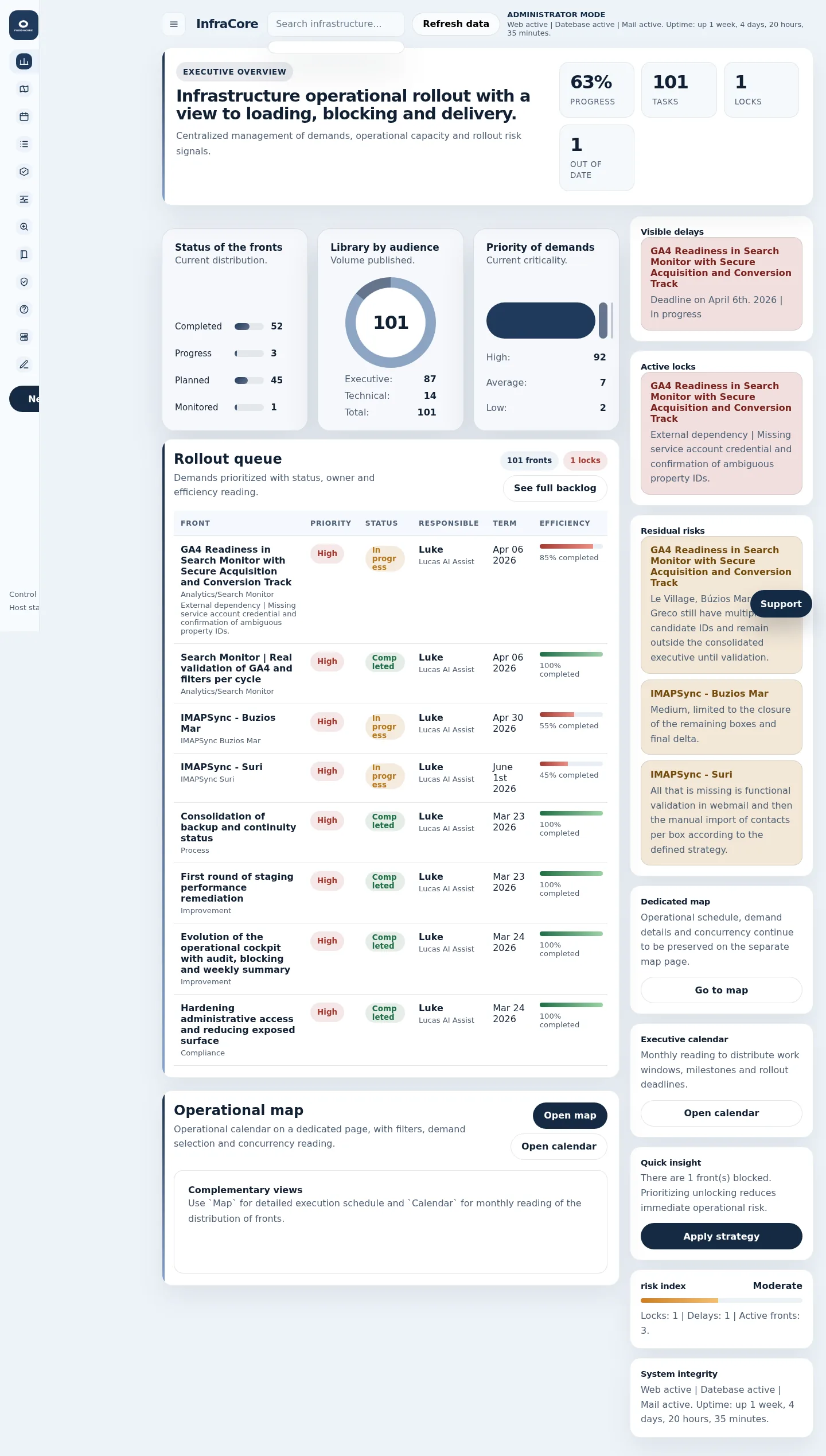
Executive Overview
Top-level operational view used during the rollout to verify overall health, active work and status after the server transition.
Work queue
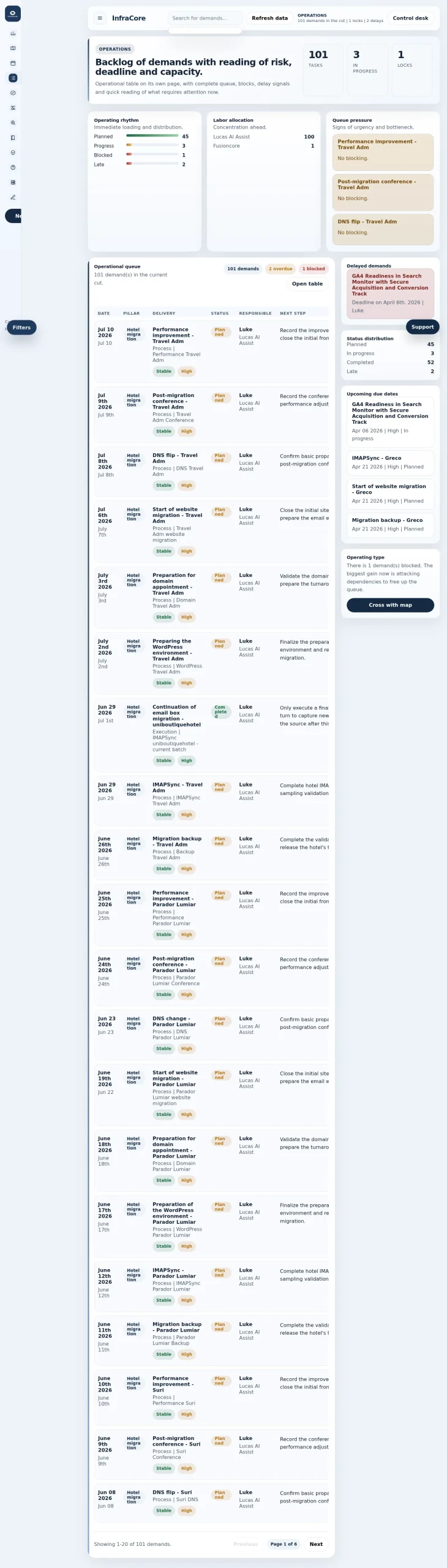
Requests
Task intake and active request board used to track pending rollout actions, blockers and ownership during the infrastructure change.
Delivery tracking
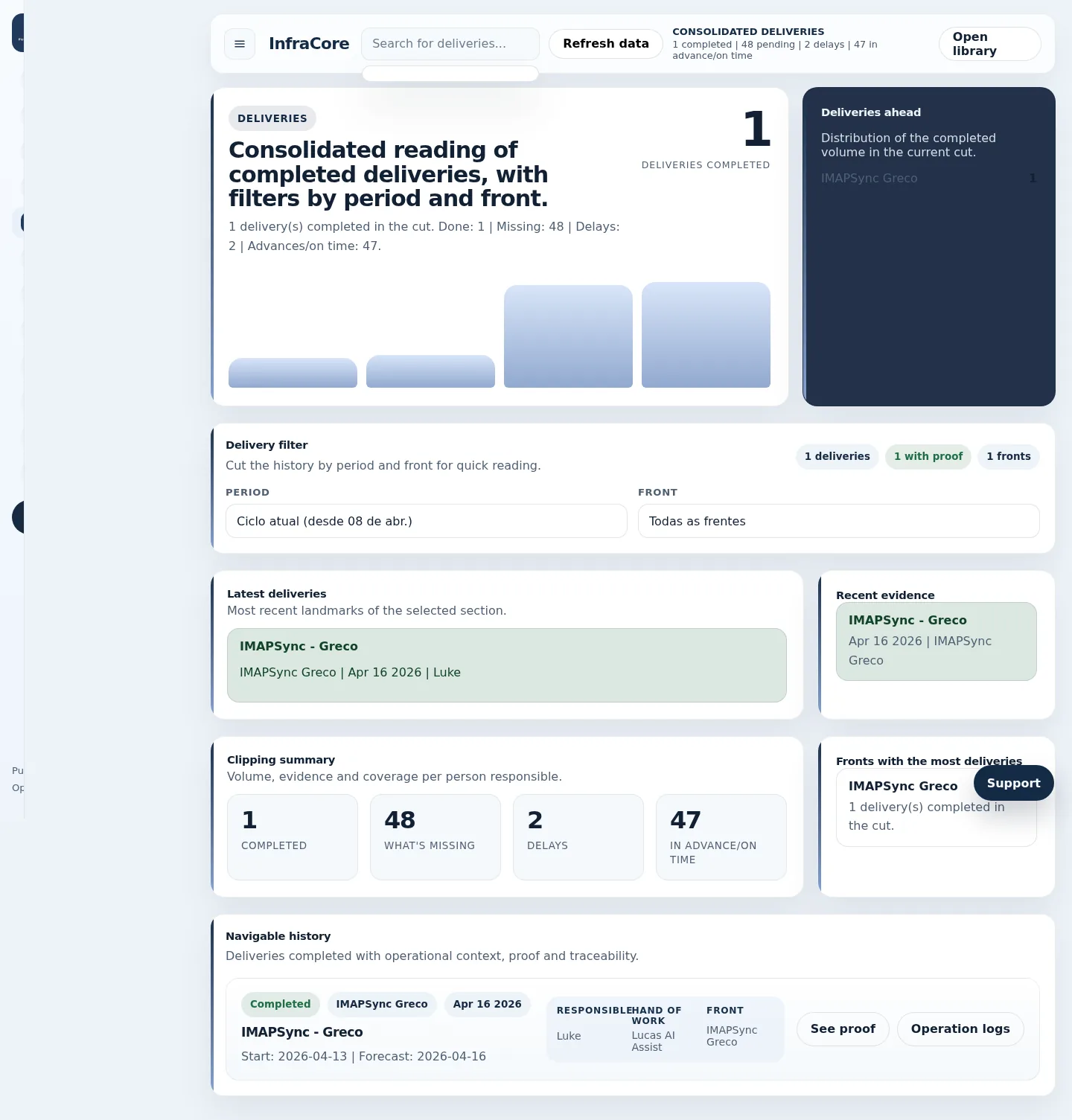
Deliveries
Operational delivery tracking view used to follow release items, confirmations and execution progress during the cutover window.
Performance monitoring
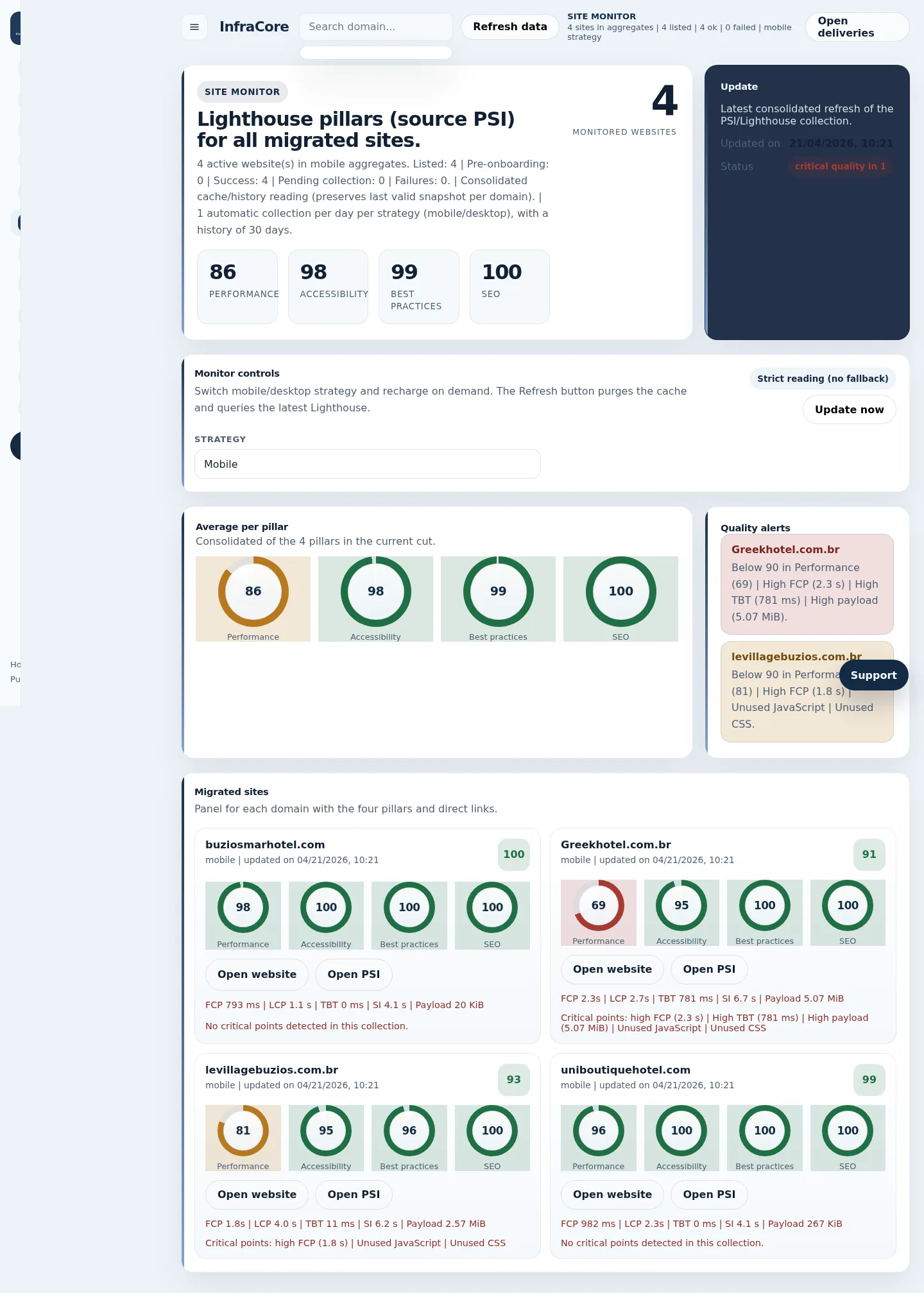
Site Monitor
A monitor surface used to validate website availability and service status after the replacement server was online.
Search visibility
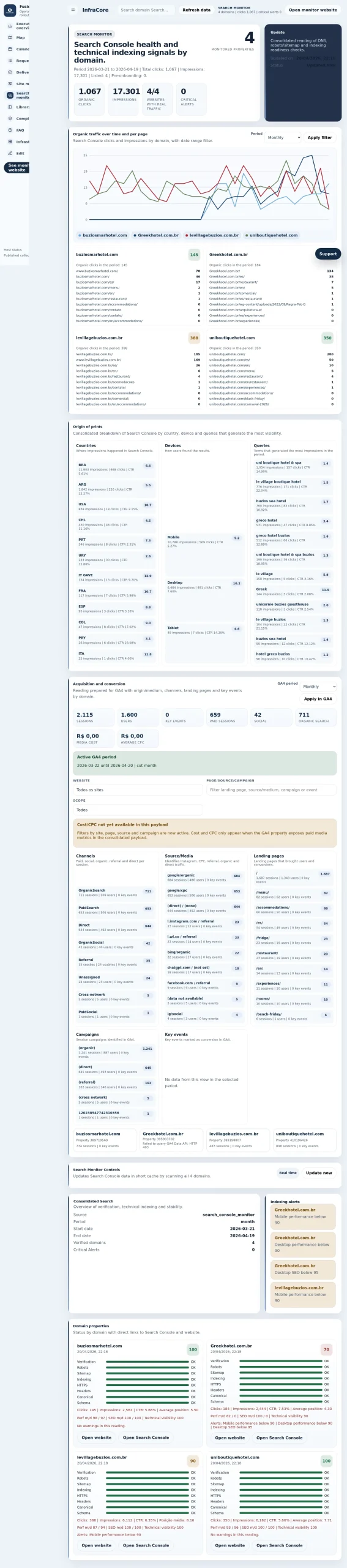
Search Monitor
Search and visibility checks used as part of post-rollout verification to confirm that the migrated environment remained discoverable.
Evidence library
Library
Central proof repository that grouped screenshots, references and supporting assets used during review and handoff.

Report archive
Reports
Historical and operational reporting layer used to document outcomes and validate that the new server environment was behaving correctly.

Compliance controls
Compliance
Control view used to record operational proof, acceptance checks and governance signals after the migration rollout.

Infrastructure view
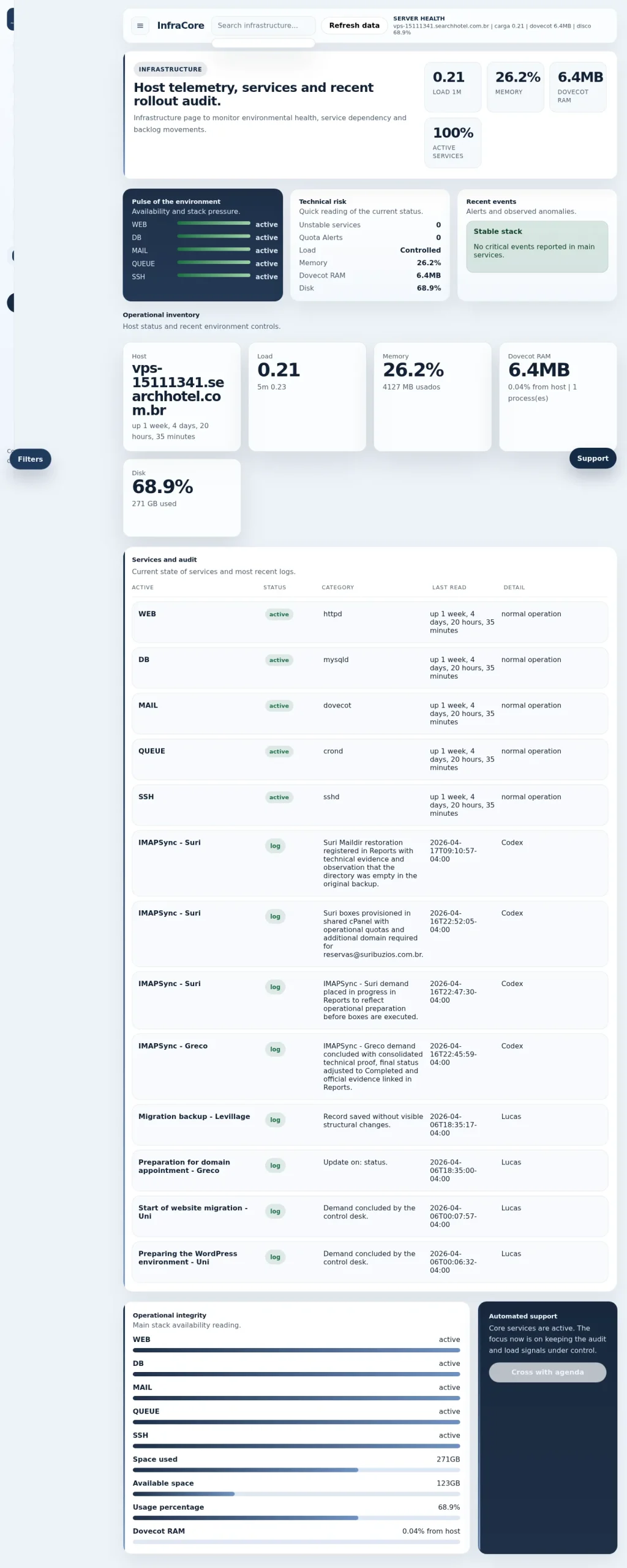
Infrastructure
Infrastructure-facing panel showing the technical side of the rollout and how the replacement stack was organized and reviewed.
Project planning
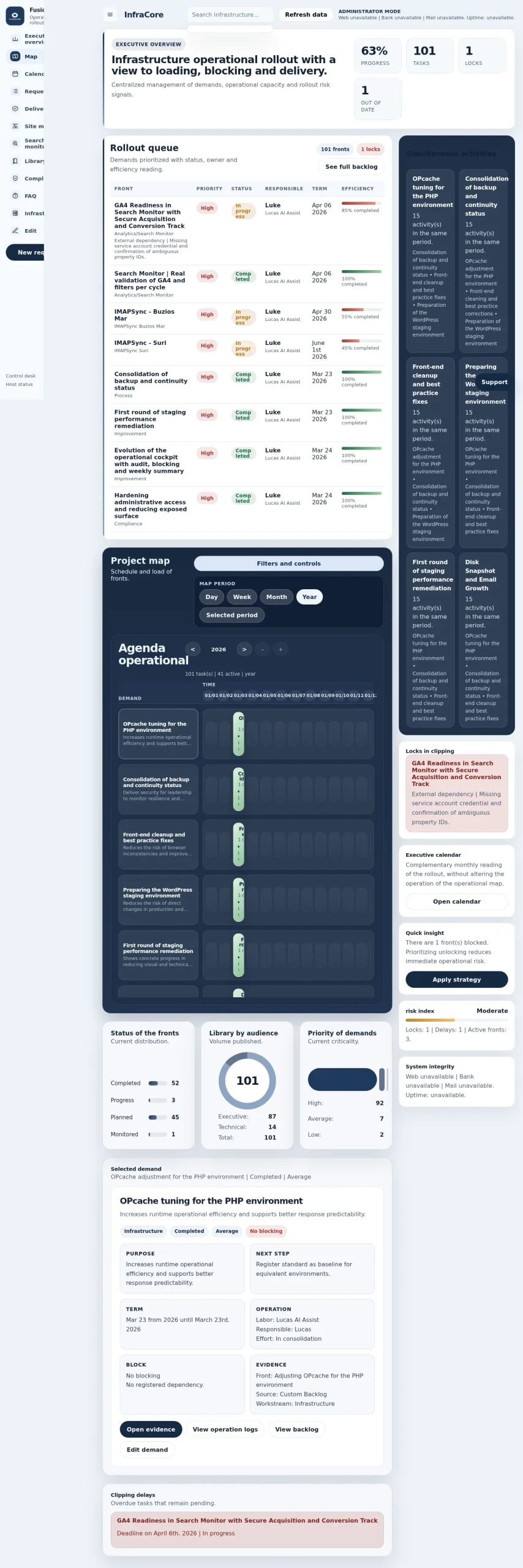
Project Map
The rollout map used to coordinate scope, phases, dependencies and progress for the full server replacement project.
Scheduling
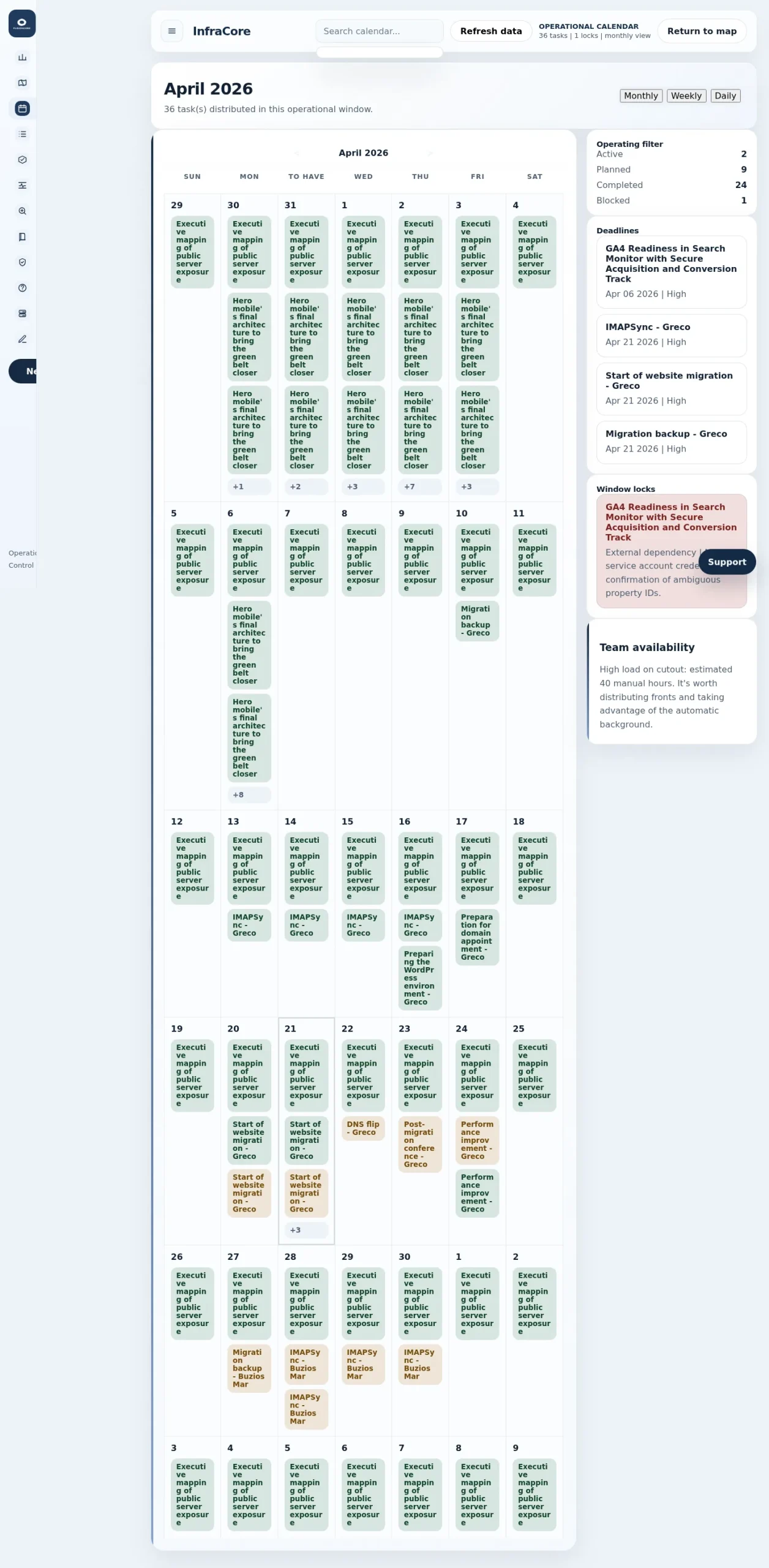
Calendar
Checkpoint calendar used for rollout sequencing, validation moments and review scheduling across the migration timeline.
Reviewer guidance
FAQ
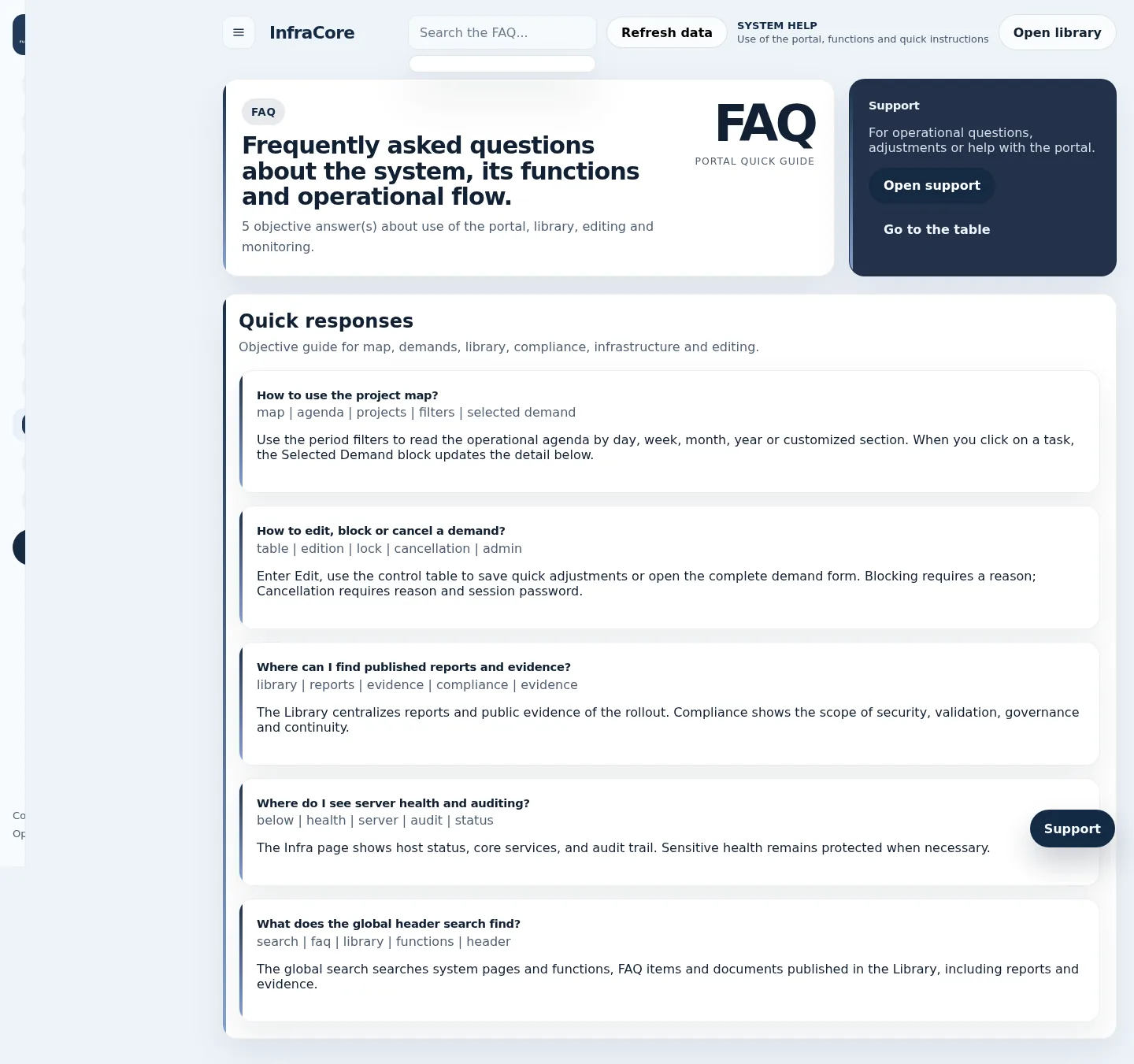
Reviewer-facing guidance designed to explain how the panel, proofs, map and documentation should be interpreted during assessment.